

Usage and billing
Your plan, how AI checks are counted, and how to change or cancel.
Open Settings, then Usage & Billing, or Plans & billing from the user menu.
How AI checks are counted
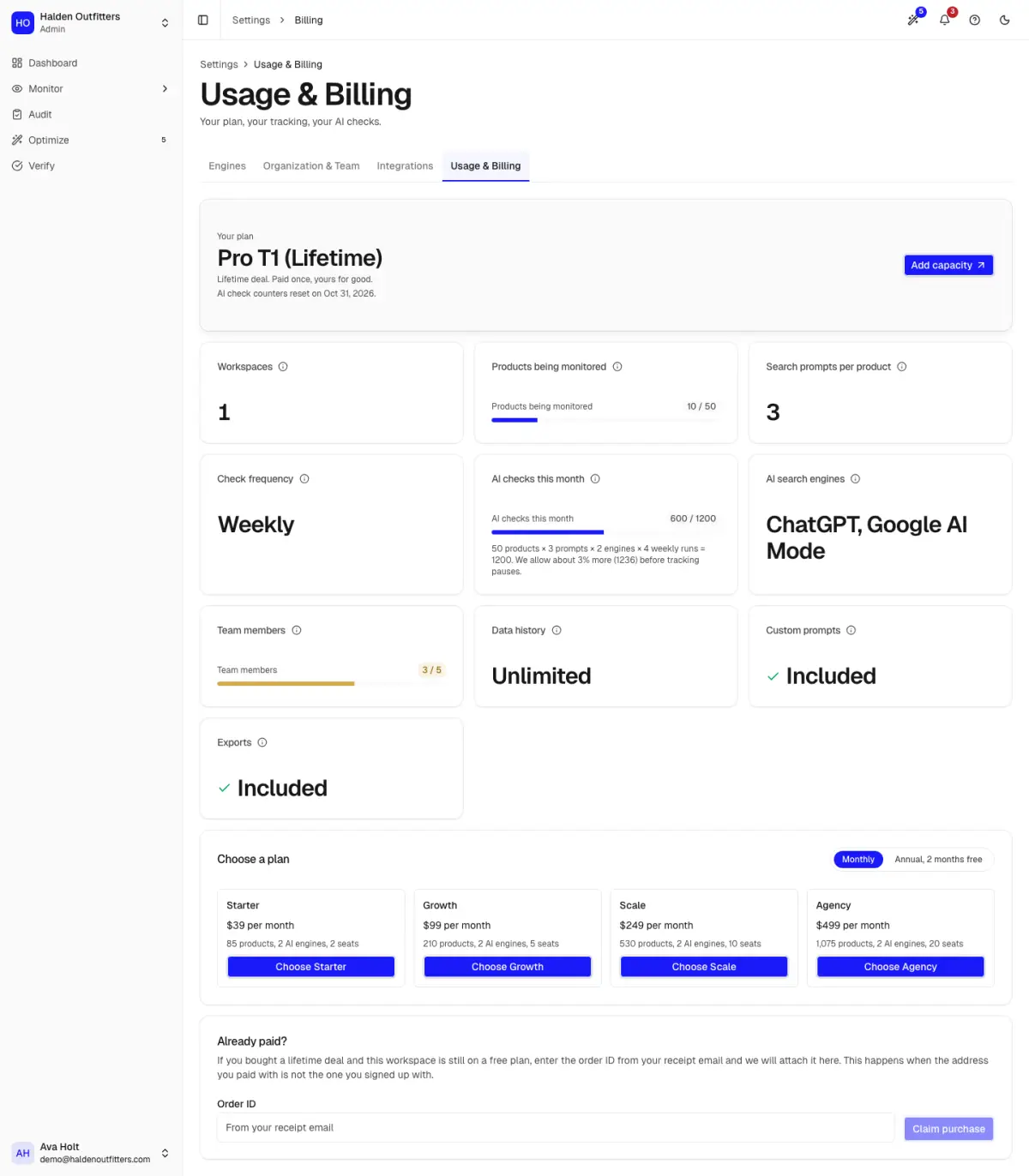
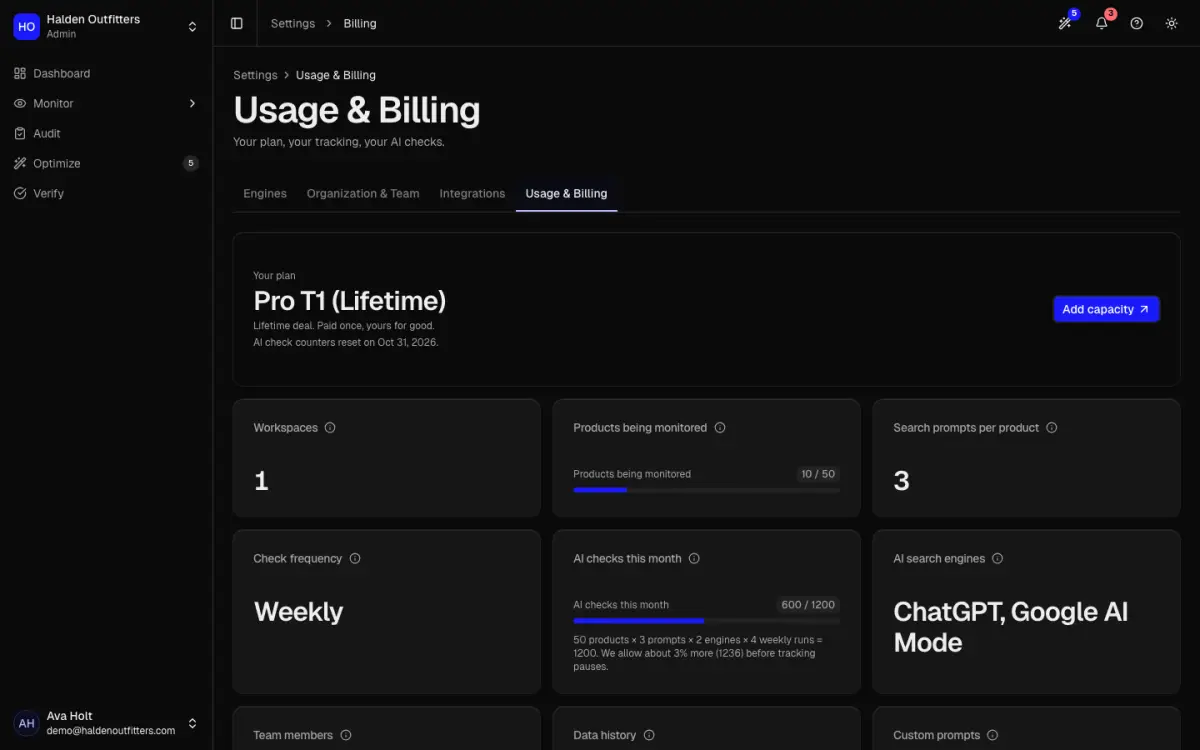
One AI check is one question asked to one engine. Your monthly use is:
tracked products × 3 prompts × engines × checks per month
The counters reset on the 1st of each month. If the month's checks run out, tracking pauses and the app tells you the date it resumes. Tracking fewer products or scanning less often lowers your use.
Change or cancel your plan
- Paid by card: Manage billing opens the billing portal for your card, invoices and cancelling.
- Billed through Shopify: change or cancel in your Shopify admin.
- Lifetime deal: use Add capacity to add more.
- Free: See plans to upgrade.
Paid, but your plan has not updated? Use the Already paid? card: enter your order ID and click Claim purchase.
Plans and prices are on the pricing page.