

The Overview
Your whole store at a glance, and how to read each part of the dashboard.
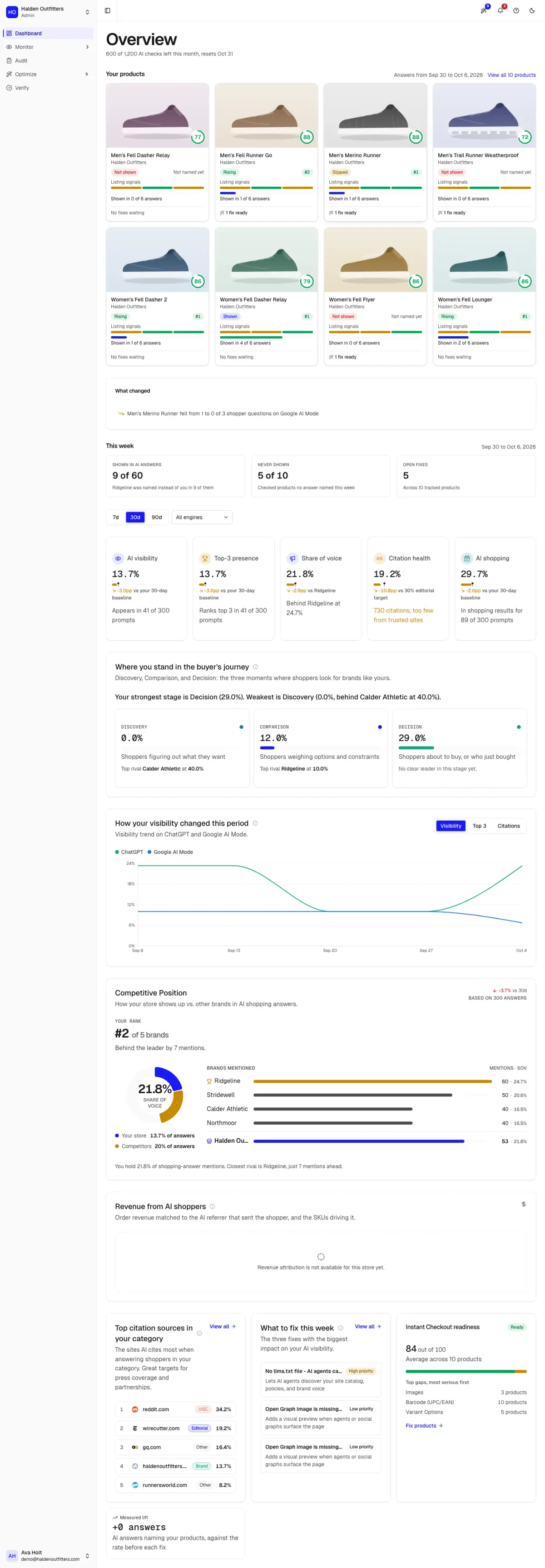
The Overview (Dashboard in the sidebar) answers one question: is AI naming your products, and is that getting better?
Read it top to bottom
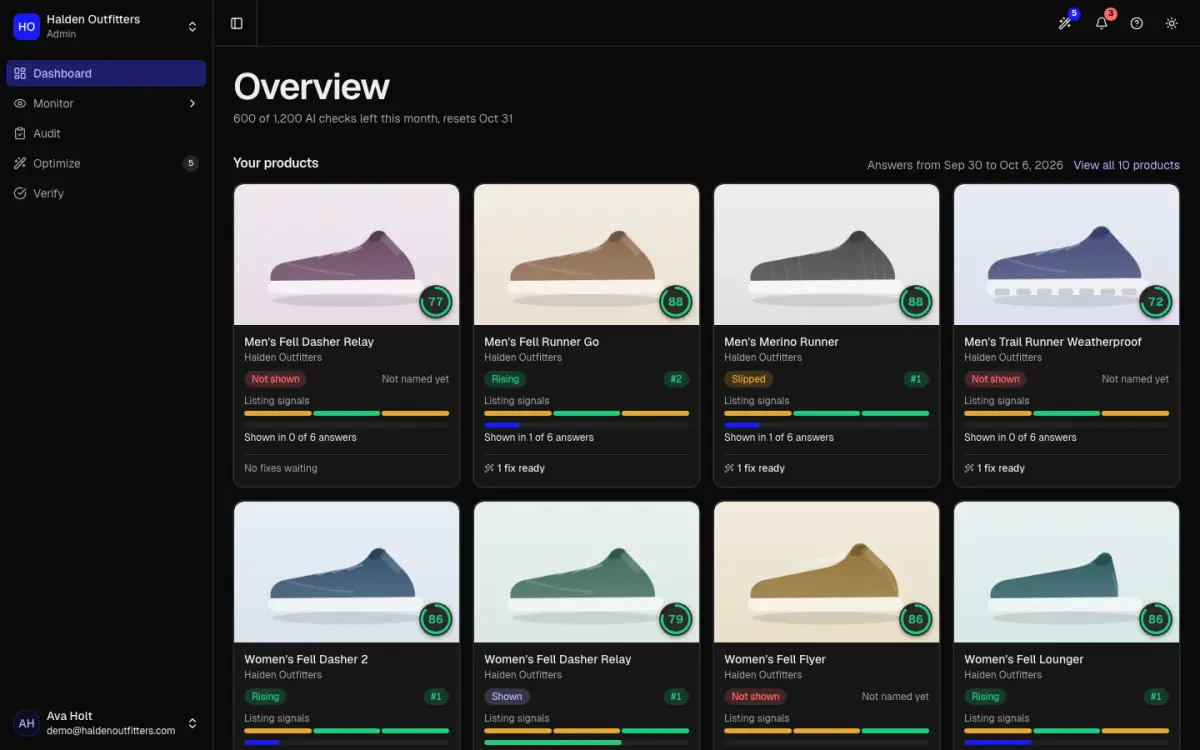
- Status line. AI checks left this month and when they reset.
- Your products. One card per tracked product: its standing, its listing signals, how many AI answers showed it, and its open fixes.
- What changed. Products that gained or lost answers, per engine.
- This week. Answers that showed your products, products never shown, and open fixes.
- Tiles. AI visibility, top-3 presence, share of voice, citation health and AI shopping, each compared with your 30-day baseline.
- Buyer's journey. How often you appear at each stage: Discovery, Comparison and Decision.
- Competitive position. Your rank among the brands AI names, and the gap to the leader.
- What to fix this week, Instant Checkout readiness, and measured lift from fixes you applied.
Use the 7d, 30d and 90d range and the engine filter to narrow every number on the page.
What the main numbers mean
| Number | Meaning |
|---|---|
| AI visibility | How many of your prompts got an answer that named your product |
| Top-3 presence | How many prompts ranked your product in the top three |
| Share of voice | Your mentions as a share of all brand mentions, and who leads |
| Citation health | Share of citations from trusted sites; 30% is the target |
| AI shopping | How many prompts showed your product in shopping results |
The top bar also holds your notifications, Take a tour, and the light and dark theme toggle.